Tech Stack
Weaponized autism
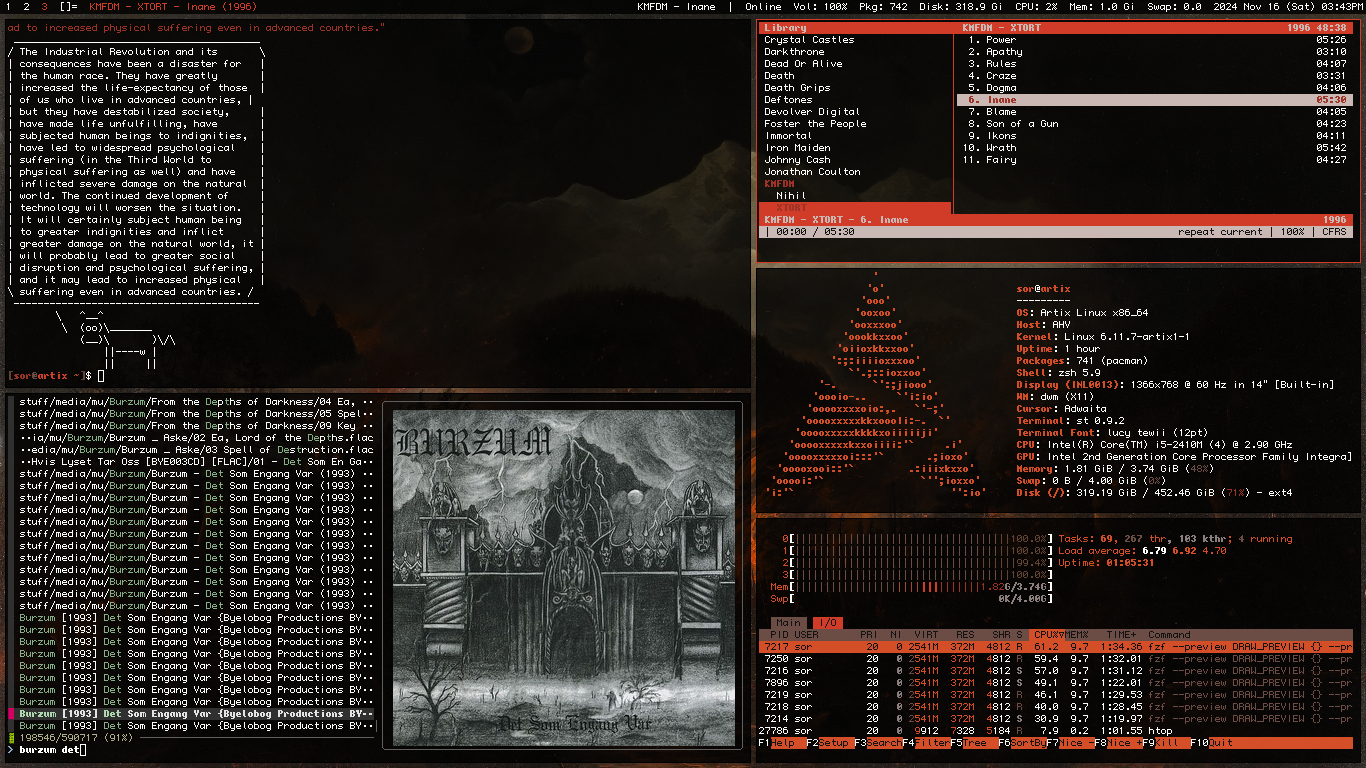
🖥️ Basic environment
Artix Linux with Runit - Daily-driver distro, like Arch but better. Great just-werksy alternatives are Linux Mint and EndeavourOS.Tails OS on Ventoy - USB-stick rescue distro, though not needed recently.
Xorg with sx - Display server
Dunst - Notification daemon
Xcompmgr - Window compositor
NetworkManager(Hybrid) - Connection manager
🧑💻 Terminal
zsh - User shelldash - System shell (/bin/sh Symlink)
Neovim(TUI) - Text editor
dvtm(TUI) [Swindles' build] - Terminal multiplexer
zsh config
By default .zshrc is located at ~/.zshrc along with other zsh configuration files, this command will set ~/.config/zsh as the default directory for zsh configuration: export ZDOTDIR=$HOME/.config/zsh
~/.config/zsh/.zshrc
nvim config
~/.config/nvim/init.vim
set number relativenumber
set title
set titleold=st
set clipboard+=unnamedplus
colorscheme sorium
sorium theme
Based on how the default theme looked to me in older versions.
~/.config/nvim/colors/sorium.vim
⚙️ Suckless Software
dwm - Window manager. Another interesting option is sxwm.st - Terminal emulator. Another interesting option is kitty.
dmenu - Application launcher and menu
slock - Display locker
slstatus - Status bar
dwm config
slstatus config

🌐 Web
Librewolf(GUI) - Browser. Other interesting options are Brave, Pale Moon, Thorium, Luakit, and Ungoogled Chromium.4get[2][Tor] [Instances] - Metasearch engine
Neomutt(TUI) - E-mail client. Pretty easy to set up with Mutt Wizard once you set up PGP and pass.
Newsraft(TUI) - RSS Reader. Other interesting options are Liferea and sfeed.
Recommended Addons
uBlock Origin - Ad-blocker. Also allows blocking unwanted elements. Another interesting option is uMatrix. [1]Redirector - Self-explanatory. Here's my json file including Wikipedia, Wiktionary, Wikiquote, YouTube, Twitter, Reddit, Imgur, Genius, Know your meme, Instagram, and Fandom private redirects. There's also LibRedirect and Privacy Redirector[.js].
Tridactyl - Vim-like keybinds
Violentmonkey - Userscripts
Web Archives - Search by Image - Check archived web pages and Reverse-search images
Stylus - Custom CSS everywhere
Misc
LocalCDN - Third-party tracking protectionI still don't care about cookies - Remove cookie notifications
User-Agent Switcher - Device spoofer
Turbo Download Manager - Faster downloads? Also allows access to direct download links of files being downloaded
Skip Redirect - Automatically bypass redirect links when the destination URL is clearly included at the end. There's also bypass-all-shortlinks.
luakit config
~/.config/luakit/userconf.lua
local settings	= require "settings"
local engines	= settings.window.search_engines
settings.window.home_page = "https://sor.neocities.org/start.html"
engines.fg	= "https://4get.privadency.com/web?s=%s"
engines.br	= "https://search.brave.com/search?q=%s"
engines.ddg	= "https://duckduckgo.com/?q=%s&"
engines.ddgl	= "https://lite.duckduckgo.com/lite/?q=%s"
engines.inv 	= "https://inv.nadeko.net/search?q=%s"
engines.aur	= "https://aur.archlinux.org/packages?K=%s"
engines.aw	= "https://wiki.archlinux.org/index.php/Special:Search?fulltext=Search&search=%s"
engines.default = engines.fg
newsraft config
~/.config/newsraft/config
bind a mark-read
bind A mark-read-all
bind m exec mpv --no-terminal "%l"
bind M exec mpv "%l"
bind t exec stuff="$(echo "%l" | sed -E 's/.*v=([^&]{11}).*/\1/')" && mpv --pause "https://i.ytimg.com/vi/$stuff/maxresdefault.jpg" || mpv --pause "https://i.ytimg.com/vi/$stuff/hqdefault.jpg"
bind T exec mpv --pause $(yt-dlp --get-thumbnail "%l")
📥 Downloading
Nicotine+(GUI) - Sovlseek client. An interesting TUI alternative is soulseek-rs.yt-dlp(CLI) [Nightly] - Despite the name, it gets videos from all DRM-free sites. It also allows mpv to stream videos from more sites.
transmission-cli(CLI) - tremc(TUI) - Torrent clients. A great GUI alternative is qBittorrent.
🛠️ Tools
htop(TUI) - Process and system monitorfastfetch(CLI) - OS information tool
Syncthing(Hybrid) - File synchronization across devices
🍿 Multimedia
cmus(TUI) - Music player. Another great option is ncmpcpp.mpv(Hybrid) - Video player
nsxiv(Hybrid) - Image viewer. Another interesting option is imv.
zathura(Hybrid) with muPDF backend - Document viewer
mpv config
~/.config/mpv/mpv.conf
ao=alsa
vo=gpu
gpu-api=opengl
hwdec=vaapi
#ytdl-format=worstvideo[height>=720]+bestaudio/bestvideo+bestaudio/best #good for low end computers
Keybinds
~/.config/mpv/input.conf
v vf toggle vflip
h vf toggle hflip
g vf add lavfi=[negate]
F     script-binding quality_menu/video_formats_toggle
Alt+f script-binding quality_menu/audio_formats_toggle
Scripts
quality-menu - Change streamed video quality, like on YouTube. Simply use the 'F' key binding, don't bother with the OSC/UI stuff.WebM Maker - Make webm or gif clips from videos. mpv-easycrop[Lua] also exists but I never tried it.
thumbfast - Thumbnail seeking for videos. Another nice script, but using it requires you to turn off the default osc, which also gets rids of the delete keybind to toggle hide it, so I don't use it anymore.
zathura config
This fixed the issue where Zathura suddenly stopped copying selected text like it used to.~/.config/zathura/zathurarc
set selection-clipboard clipboard
🖌️ Editing
ImageMagick(CLI) - Krita(GUI) - Image editors. Another great option is GIMP.groff(CLI) - LibreOffice(GUI) - Document editor
ffmpeg(CLI) - Blender(GUI) - Video editors
🎲 Misc
sxcs(CLI) - Color pickertesseract(CLI) - OCR
xprofile
Thanks Luke's dotfiles for the autostart. Also, is there a better way to set the volume up with alsa? If I don't include the amixer command, it starts as mute, AND at 0%.
/etc/xprofile
#!/bin/sh

xautolock -time 20 -locker slock &
amixer -c 0 set Master playback 100% unmute &
xset r rate 300 50 &
xwallpaper --zoom "$(find ~/stuff/img/wal/art/* -type f | shuf | head -n 1)"

autostart="xcompmgr slstatus"

for program in $autostart; do
        pidof -sx "$program" || "$program" &
done >/dev/null 2>&1
Theming
WallpapersLucy Tewi - Font. To install use
bdftopcf on all the bdf files and move it to /usr/share/fonts/pcf.Into The Black Hole - Amoled theme for Firefox-based browsers
st color scheme (from config.h)
📱 Android
Brave - Fennec - Browsers
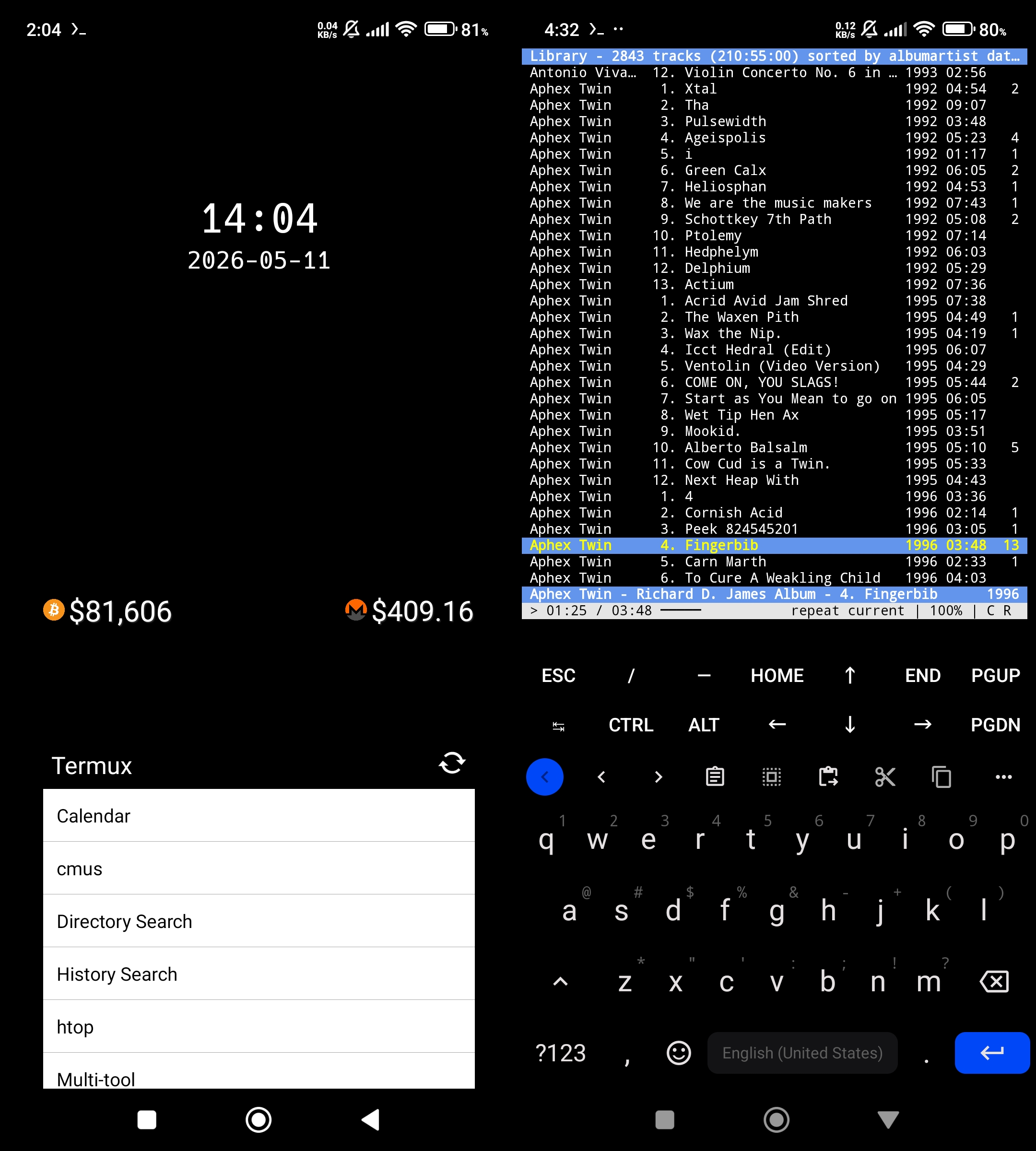
Termux [Wallpaper fork] - Terminal emulator
Ghost Commander - File manager
F-Droid Basic [Aurora fork] - Aurora Store - App stores
🛠️ Tools
Organic Maps - MapsFossify - FOSS utilities
FlorisBoard - Thumb-Key - Keyboards
🌐 Online Tools
K-9 Mail - Quik - Email and SMSCapy Reader - RSS Reader
LibreTorrent - Torrent client
🍿 Multimedia
mpvEx - Video playercmus(TUI) with Termux:Widget - Music player
MuPDF - PDF reader
Seal - Video downloader
NewPipe [SponsorBlock fork] - Grayjay - GUI YouTube clients
Misc
Simple Crypto Widget - Crypto pricesOCR - QR - Scanners
Audire - Audile - Identify music like in Shazam
TIDY - Local image search
Seeker - Soulseek client. But I just sync stuff over from Syncthing.
SD Maid SE - Cleaner. This version allows bypassing paid features.
Open Video Editor(w.i.p) - Video Guru(Non-free) - Oojao Image Editor(Non-free) - Editing
Private DNS
This will block ads, even outside of the browser.
dns.adguard.com
Android wallpapers
Termux widget shortcuts


